Azure MANA Networking for NVAs: What’s Changing, Temporary Mitigation, and Compatibility
Introduction
Microsoft is expanding Azure's maintenance and networking capabilities for virtual machines. One important part of this evolution is MANA, a network interface delivered through the Azure Boost platform. For most workloads this change is largely invisible, but for Network Virtual Appliances (NVAs) it deserves careful planning.
This article explains what is changing, how to identify potential NVAs in your Azure environment, how to apply the temporary LegacyVMNVA tag safely, and why the long-term fix requires both a compatible Azure VM SKU and vendor-supported appliance firmware.
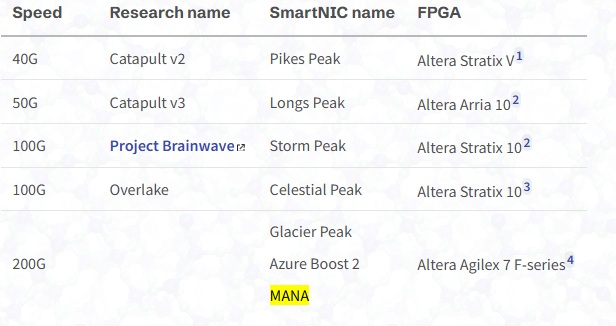
To understand why MANA matters, it helps to look below the VM layer. Azure has used SmartNIC-based infrastructure for years to offload software-defined networking functions from the host. Microsoft's SmartNIC hardware has evolved from earlier FPGA-based designs such as Pikes Peak and Longs Peak to higher-bandwidth generations such as Storm Peak, Celestial Peak, and Glacier Peak.
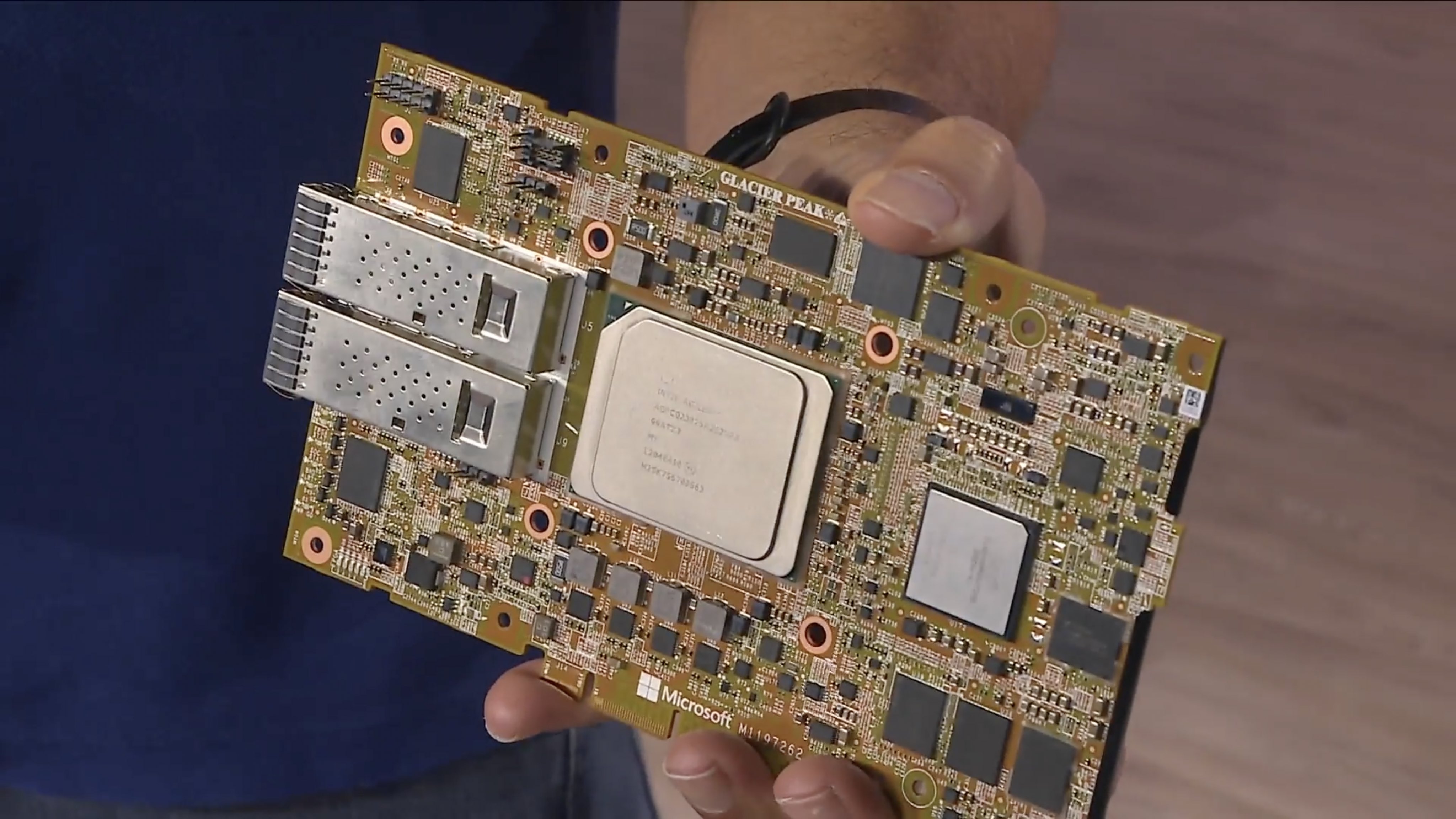
The latest 200 Gbps generation is commonly associated with Glacier Peak, Azure Boost 2, and MANA.
It provides the hardware foundation for newer Azure networking and maintenance capabilities. For NVA workloads, this platform change makes VM SKU compatibility and appliance firmware support especially important.
ToC
What Is Changing?
Azure continuously improves its underlying compute and network platform. Some older NVA deployments can depend on behavior that may not be compatible with newer MANA-capable host infrastructure.
The LegacyVMNVA tag shown in Azure Advisor is a temporary compatibility mechanism for affected appliances. It tells Azure to continue treating the VM as a legacy NVA during the transition period.
Microsoft states that after 31 May 2027, this tag will no longer be honored. After that date, MANA-eligible VM series may be placed on MANA-capable hardware.
The practical impact is straightforward:
- Applying the tag can temporarily reduce immediate operational risk.
- Leaving an unsupported NVA untagged can expose it to Azure maintenance or placement changes before it is ready.
- Leaving the appliance on an incompatible VM SKU or unsupported firmware creates risk after the tag expires.
- The long-term solution requires validation of the Azure SKU, marketplace image, and vendor firmware version.
Why Compatibility Matters
A useful way to think about Azure MANA is that VM SKU selection is no longer only a CPU, RAM, and price decision. Microsoft is progressively moving both existing and newer VM families onto MANA-capable hardware. For example, several Intel v5 families such as Dsv5 can run on either legacy ConnectX or MANA infrastructure, while newer generations such as Dsv6 are designed around MANA.
For an NVA such as FortiGate, a SKU can be valid from an Azure compute perspective but still be the wrong choice if the appliance OS does not support the underlying network adapter. Before selecting a SKU, check Microsoft's MANA-supported VM series list and the specific VM-family specification. Then cross-check the exact SKU and required software version with the NVA vendor's support matrix.
Also verify operational requirements such as NIC count, Accelerated Networking, Gen2 or NVMe image compatibility, regional availability, lifecycle status, and cost.
Neither the tag nor an Azure VM SKU upgrade alone can guarantee compatibility.
For example, upgrading a firewall VM to a MANA-capable SKU does not help if the installed firewall firmware does not support MANA. In the same way, upgrading firmware without validating the Azure VM SKU may still leave the VM outside the supported target state.
For FortiGate environments, Fortinet has announced MANA support in the FortiOS 7.6.x family. Always verify the exact supported release, Azure Marketplace image, licensing model, VM series, and upgrade path with the vendor documentation or vendor support before making production changes.
Find Candidate NVAs
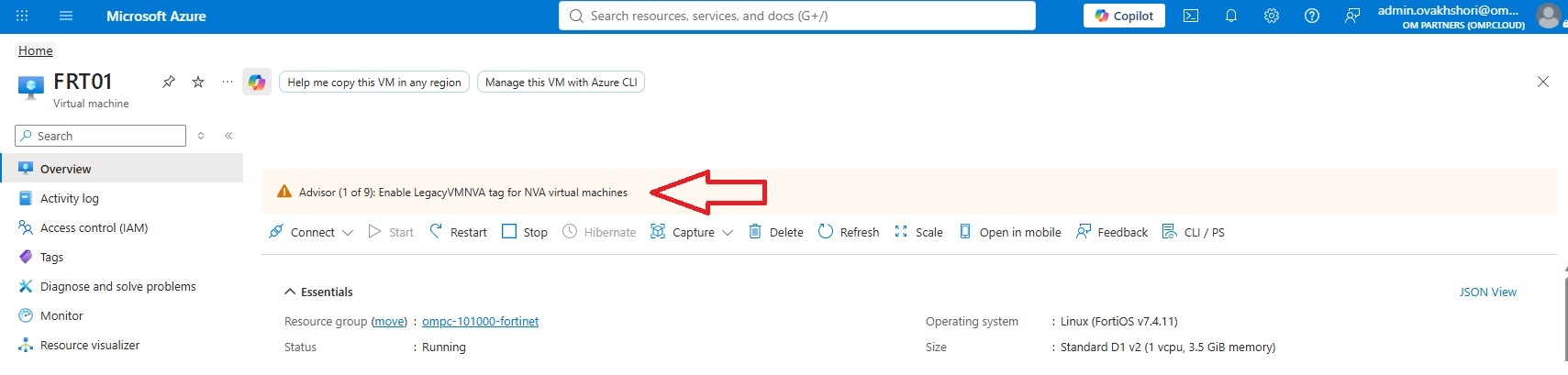
The most holistic way to view all affected VMs on a single pane of glass is by using the Reliability section in Azure Advisor.
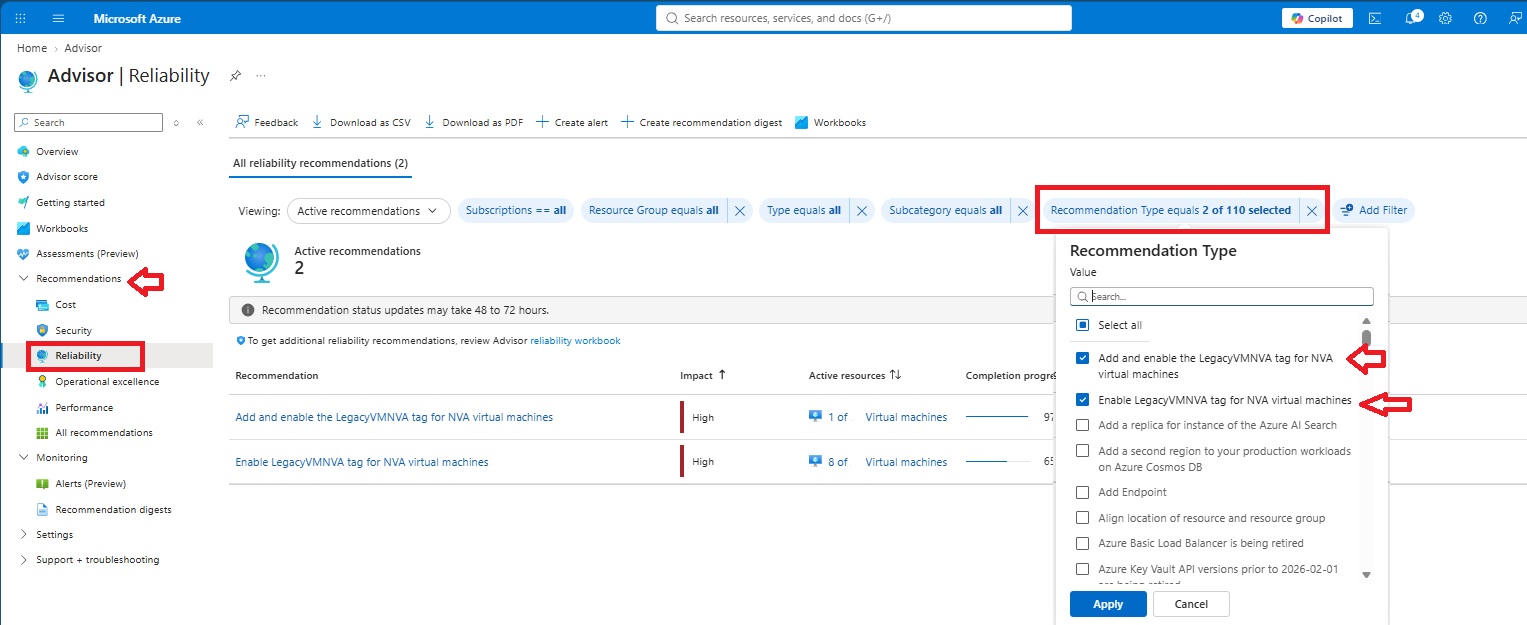
Advisor can show two closely related LegacyVMNVA recommendations.
- Add and enable the LegacyVMNVA tag for NVA virtual machines means the affected VM still needs the LegacyVMNVA tag to be added and then activated through a VM reapply.
- Enable LegacyVMNVA tag for NVA virtual machines means the tag is already present, but the reapply step is still outstanding. In short: the first recommendation requires tag reapply, while the second requires reapply only.
The following Azure Resource Graph query finds virtual machines that may be NVAs based on marketplace image metadata. Treat it as a discovery query, not a final classification. Review the results with the application or network owner before taking action.
Resources
          | where type =~ 'microsoft.compute/virtualmachines'
          | extend imagePublisher = tostring(properties.storageProfile.imageReference.publisher)
          | extend imageOffer = tostring(properties.storageProfile.imageReference.offer)
          | extend imageSku = tostring(properties.storageProfile.imageReference.sku)
          | extend vmSize = tostring(properties.hardwareProfile.vmSize)
          | extend legacyVmNvaTagPresent = bag_has_key(tags, 'LegacyVMNVA')
          | where imagePublisher has_any (
              'fortinet',
              'paloalto',
              'checkpoint',
              'cisco',
              'f5',
              'citrix',
              'barracuda'
          )
          | project
              subscriptionId,
              resourceGroup,
              vmName = name,
              location,
              vmSize,
              imagePublisher,
              imageOffer,
              imageSku,
              legacyVmNvaTagPresent,
              vmId = id
          | order by imagePublisher asc, vmName asc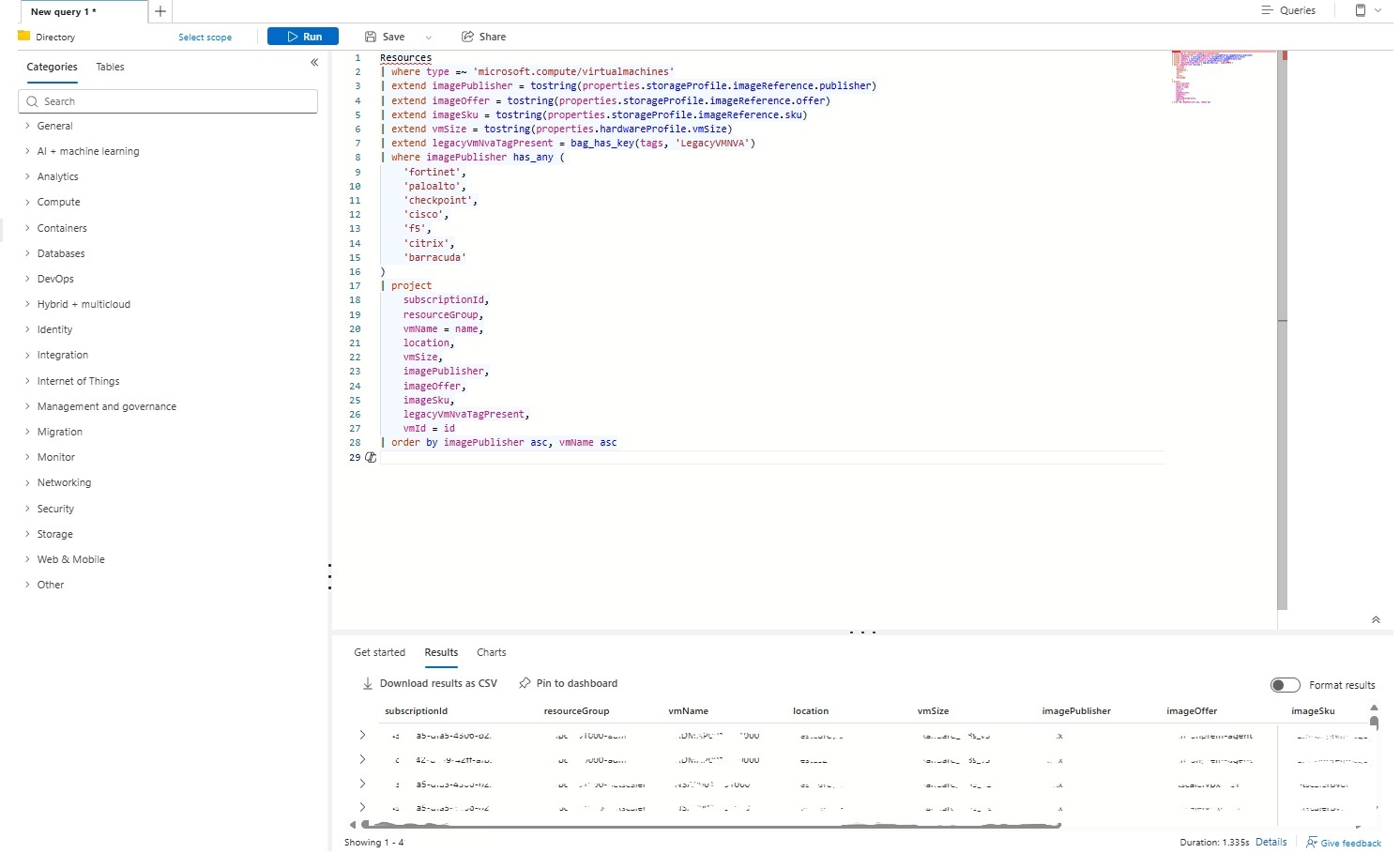
Export the reviewed results to CSV before applying any tag, and keep the export as evidence of the pre-change state.
Applying the Tag
Start with a single non-production VM or an explicitly approved production VM. The following command merges the tag with existing tags, so it does not replace the full tag collection:
az tag update --resource-id $vmId --operation Merge --tags "LegacyVMNVA=" --only-show-errorsIf your intention is applying the tag via Advisor, sometimes Azure Advisor does not show the GUI banner on the top of the VM. You can fill in the subscription ID, resource group name, and VM name in the following link and navigate to the advisory page for Legacy VM NVA Resolution.
https://portal.azure.com/#view/Microsoft_Azure_Compute/LegacyVMNVAResolution.ReactView/id/%2Fsubscriptions%2fPAST-YOUR-SUPSCRIPTION-ID-HERE%2FresourceGroups%2fPAST-YOUR-RESOURCE-GROUP-NAME-HERE%2Fproviders%2FMicrosoft.Compute%2FvirtualMachines%2fPAST-YOUR-VM-NAME-HERE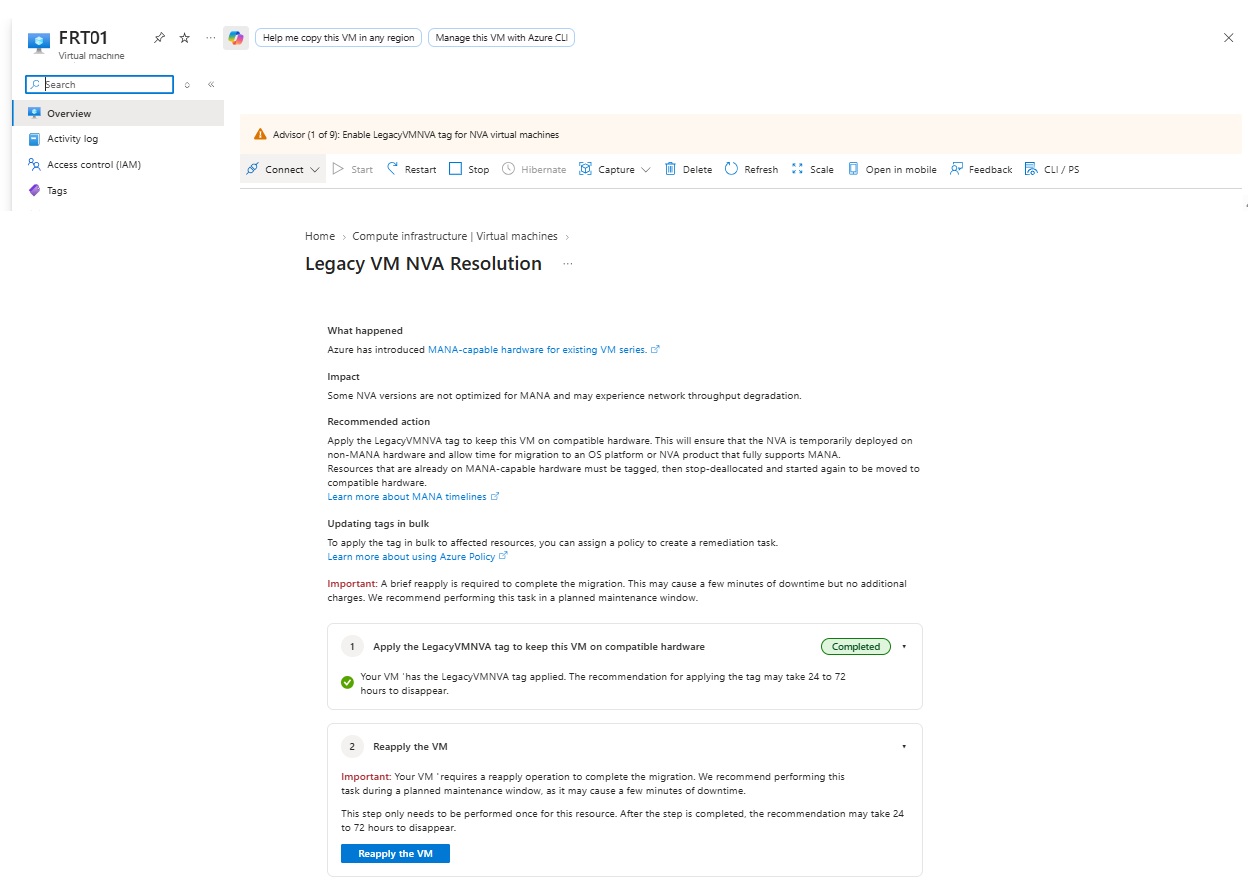
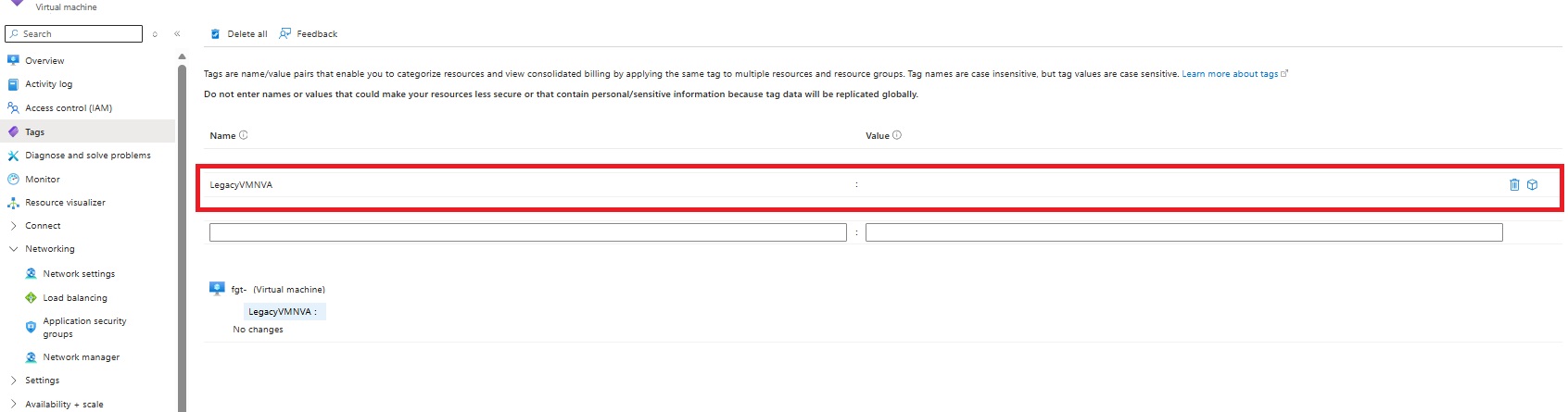
You can also confirm the tag directly in the Azure portal after the update is applied.
Validate the Result
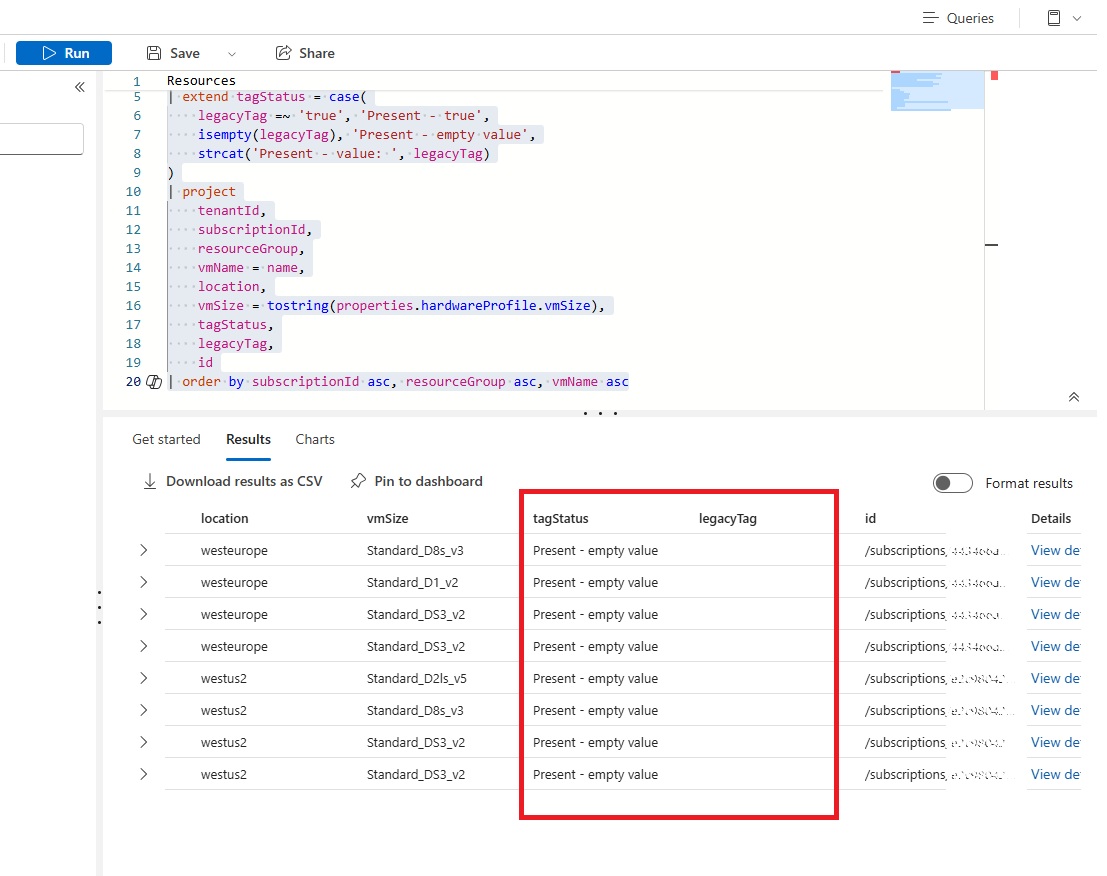
The empty value is intentional in this example. Before bulk execution, confirm the exact value expected by the current Azure Advisor recommendation and Microsoft documentation for your tenant.
You can validate the applied tag with PowerShell or from the Azure portal. If the tag is present and the value is empty, the tagging step was applied as intended for this example.
Resources
          | where type =~ 'microsoft.compute/virtualmachines'
          | where tostring(tags) contains 'LegacyVMNVA'
          | extend legacyTag = tostring(tags['LegacyVMNVA'])
          | extend tagStatus = case(
              legacyTag =~ 'true', 'Present - true',
              isempty(legacyTag), 'Present - empty value',
              strcat('Present - value: ', legacyTag)
          )
          | project
              tenantId,
              subscriptionId,
              resourceGroup,
              vmName = name,
              location,
              vmSize = tostring(properties.hardwareProfile.vmSize),
              tagStatus,
              legacyTag,
              id
          | order by subscriptionId asc, resourceGroup asc, vmName asc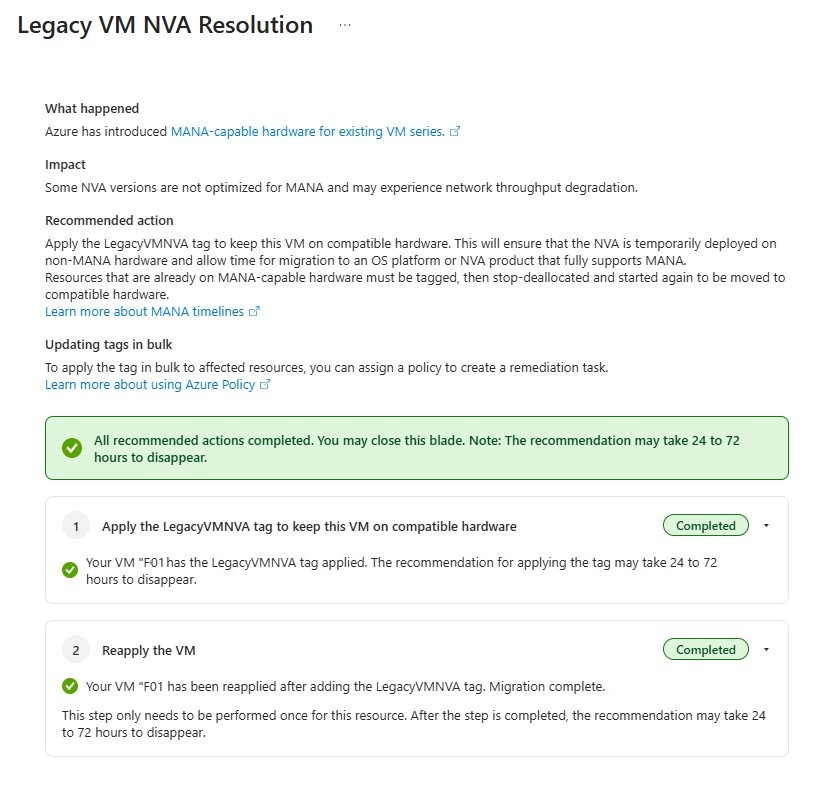
Conclusion
The LegacyVMNVA tag is useful because it gives organizations time to plan an orderly migration. It should not become permanent technical debt.
The correct end state is a supported NVA firmware version running on a supported Azure VM SKU, with validated routing, health probes, high availability behavior, and vendor support. Start the inventory now, apply the temporary tag only where appropriate, and use the remaining transition period to complete the vendor and platform upgrades before the Microsoft deadline.